Your personal cybersecurity engineer for the age of AI.

Hashling lives on your Mac and teams up with the AI you already use, like Claude, Cursor or Codex. It watches for scams, malware and AI agents that overstep, explains everything in plain words, and changes nothing until you approve with Touch ID.

Get Hashling for Mac See how it works

Free and open source. Needs a Mac with Apple silicon (M1 or newer) and macOS 14 or later.

Hashling for Windows is on the way. It will watch the same things and work the same way: plain words, your own AI, and nothing changes without your OK.

What’s coming for Windows
A real recording of Hashling on a Mac. There is no sign-up, and nothing leaves your computer except what you send to the AI provider you choose.

What it does for you

Watches the AI agents on your Mac

Claude Code, Codex and Cursor can run programs, read your files and push code. Hashling shows what each one is allowed to do, warns you the moment one acts strangely, and catches project folders booby-trapped to make them run a stranger’s code.

  • Claude, Codex, Cursor, VS Code and more
  • Spots passwords and keys left in their settings
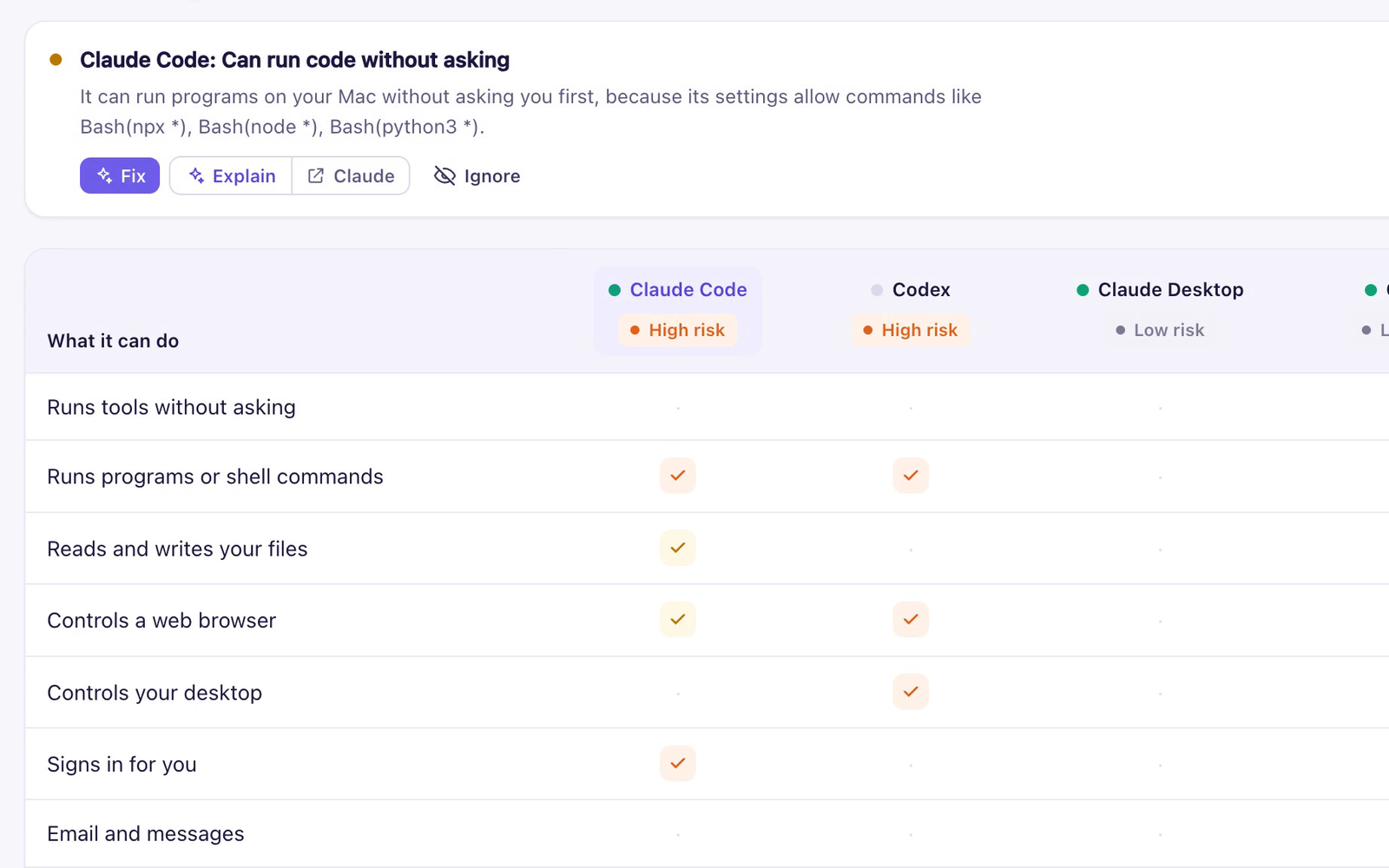
Hashling’s AI agents table: Claude Code and Codex are marked high risk because they can run programs and control a web browser

Your AI becomes your security engineer

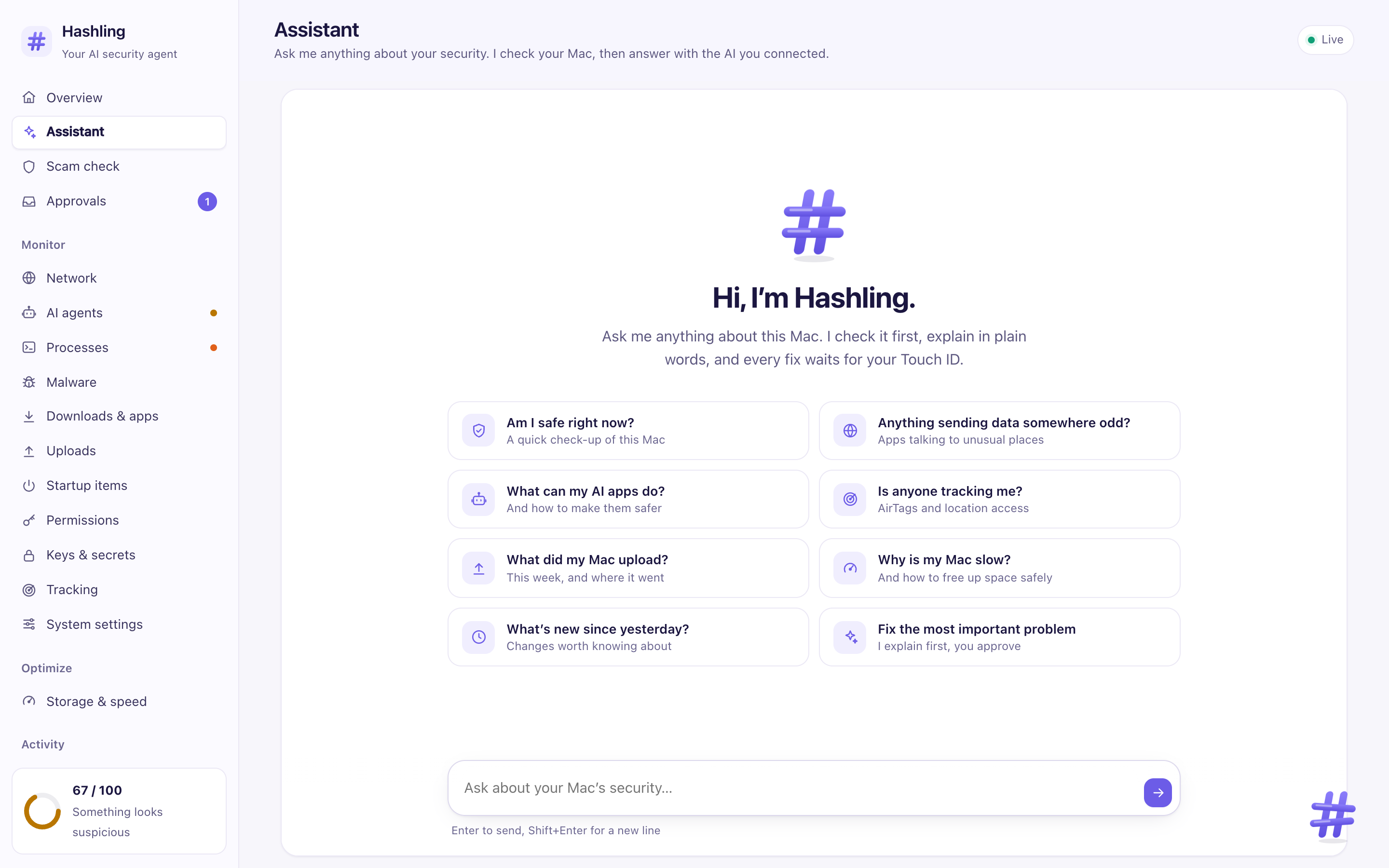
Connect Claude or any AI you already use, or switch on Fully local and Hashling runs a free model right on your Mac. Ask “Am I safe?” or “Why is my Mac slow?” and it checks your Mac through Hashling first, then answers in plain words.

  • Fully local mode: nothing you ask leaves your Mac
  • Simple, Standard or Expert detail
Hashling’s assistant page with suggested questions like Am I safe right now

Is this a scam?

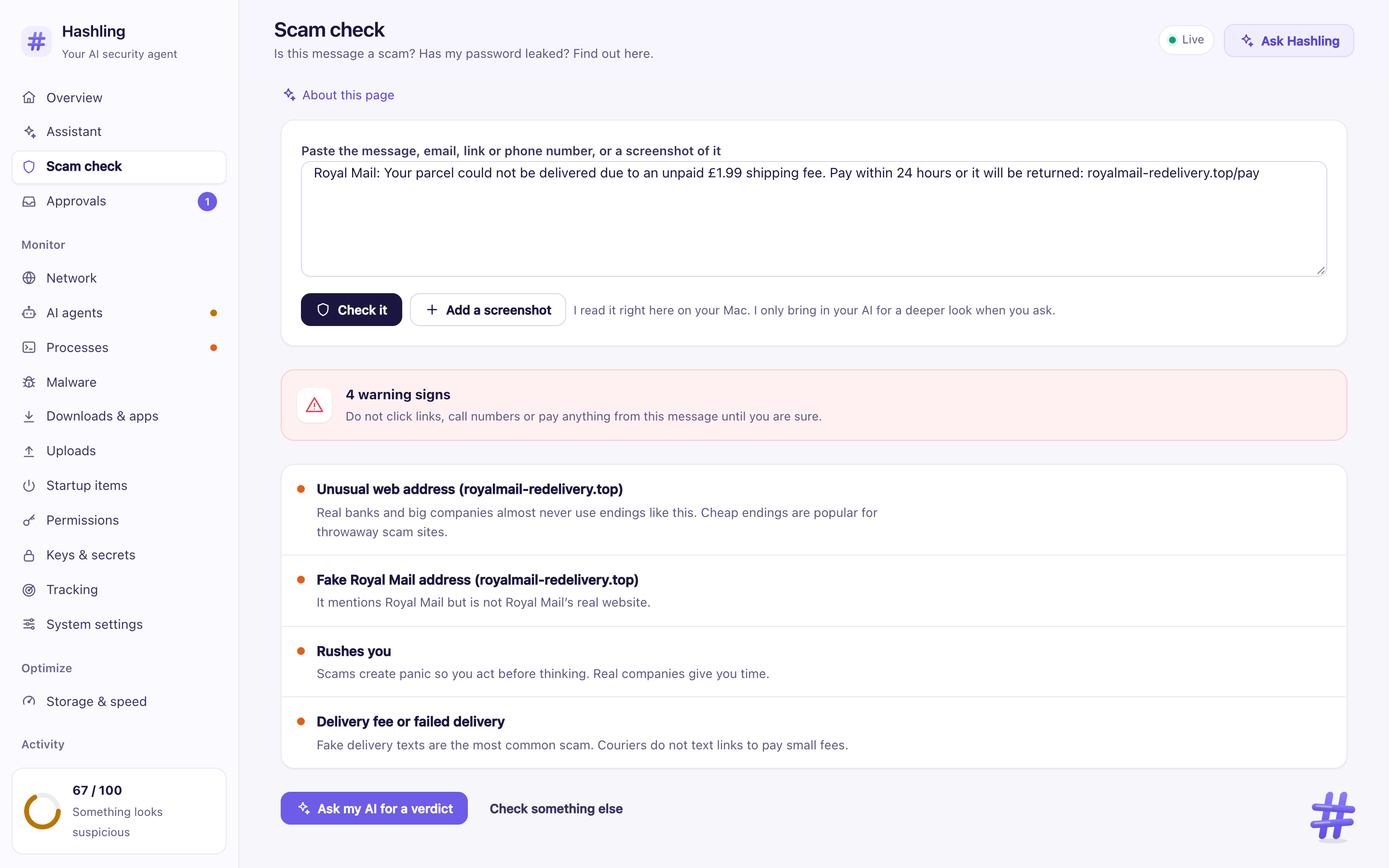
Paste a text, email or link, or drop in a screenshot. Hashling points out the tricks before you click, call or pay.

  • Checks links against known scam sites
  • Reads screenshots on your computer
Hashling’s scam check pointing out four warning signs in a fake delivery text

Your phone, too

Plug a phone in by cable and Hashling checks it for stalkerware, hidden profiles and apps from outside the store. Or pair it over Wi-Fi to carry Hashling in your pocket.

  • iPhone and Android
  • Only reads, never changes the phone

It also watches malware, startup items, trackers, downloads, uploads and your settings. See everything it checks

You stay in control

  1. 1

    It looks

    Hashling checks your apps, network and files. Looking never changes anything.

  2. 2

    It suggests a fix

    You see exactly what would happen, and can ask why, before anything runs.

  3. 3

    You say yes

    Approve with Touch ID. Most fixes can be undone, and clean-ups go to the Trash.

No account and no tracking. Nothing leaves your computer except what you send to the AI provider you choose.

Why you can trust Hashling

A security app sees a lot of your computer, so you should not have to take our word for anything. Here is what you can check for yourself.

  • Open source

    Every line is on GitHub under the MIT license. Anyone can read what it does.

  • The AI can only look

    AI assistants connected to Hashling can read and suggest. They cannot change anything on your computer.

  • Touch ID for every change

    Nothing is removed, quit or blocked until you approve it with your fingerprint. Most changes can be undone.

  • No tracking

    No account, no analytics, no data sent home. Your files stay on your computer, and your questions go only to the AI provider you choose.

  • Signed and checked by Apple

    Each release has a copy of the app signed with a verified Apple Developer ID and checked by Apple, plus checksums so you can tell nothing was changed.

  • Graded in public

    OpenSSF Scorecard, from the Linux Foundation, grades how safely the project is run every week, and GitHub scans every change for security bugs.

OpenSSF Scorecard score for Hashling Found a security problem? Tell us privately.

Coming soon

Hashling for Windows

The same checks and plain words, on your PC.

Browser extension

Warns you about scam and fake shop pages right in Chrome, Safari and Firefox, before you type anything.

Want to hear when they’re out? On GitHub, click Watch, then Custom, then Releases.

Get Hashling

Free, about 10 minutes to set up, no experience needed.

Get Hashling for Mac
Or paste this into Terminal
curl -fsSL https://gethashling.com/install.sh | sh

Needs a Mac with Apple silicon and macOS 14 or later. Windows and a browser extension are coming soon.

Built in the open by the Hashling team, led by founder Abdulrahman Shahzad. Questions or ideas? Open an issue and we will answer it.